Plan the look of a short film's opening shot with a mood board of visual references
Your AI assistant can do the visual research for a short film. It saves each reference to a VYBSRF mood board, with a note on why it works. In a later chat, it recalls the board and writes the opening shot from those notes.
Below is a worked example. It is built on our sample board.
The board
Rainy café: light references is a real VYBSRF board. Claude caught its five pictures through the VYBSRF connector on Oct 21, 2026, for our launch film. The pictures are Moods in Pixels, pixel art made by AI for VYBSRF. The notes are Claude’s, word for word. Here are three of them.
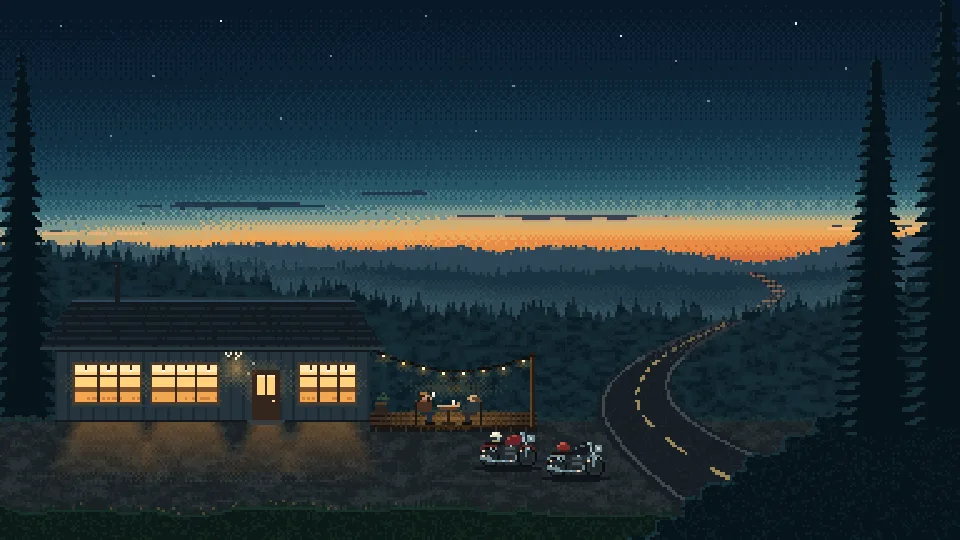
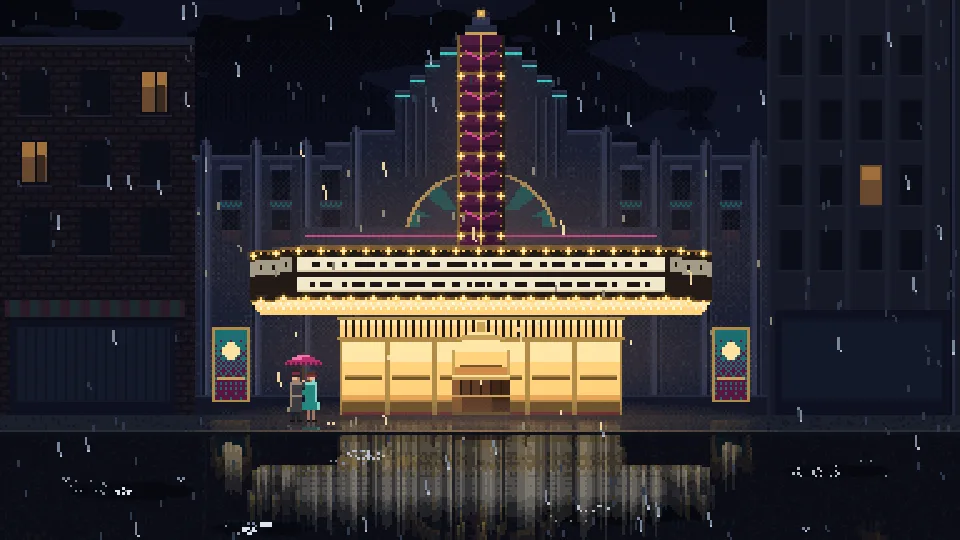
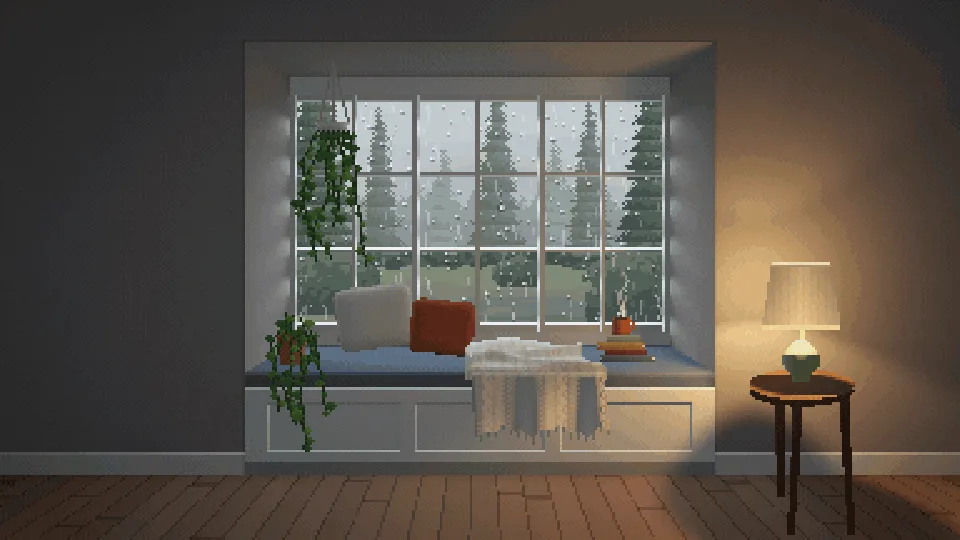
Step 1. Save a picture with a note on why
The assistant looks at pictures for the scene and saves the ones that fit.
- If the board doesn’t exist yet,
create_boardmakes it. - For a picture in VYBSRF’s catalogue, it calls
discover_inspirationfor a batch to look at, thencollect_discovered_imageto save one to the board. - For a page or a picture elsewhere on the web, it calls
collect_reference.
Each save takes a note on why. A useful note names what to borrow: the light, the palette, the framing.
Step 2. Recall the board in a fresh chat
Later, you open a new chat and ask for the opening shot. For example:
Recall my VYBSRF board "Rainy café: light references" and write the opening shot of my short film from its notes.
The assistant calls recall_board. It reads back the board’s saved items and their notes. The notes carry the reasons, not only the pictures.
Step 3. Write the opening shot from the notes
Here is the kind of opening shot an assistant can write from the three notes above. We wrote it as an example. It is not a captured chat.
Exterior, night, rain. Nearly everything is blue-grey. Only the café’s windows and a short string of bulbs are warm. The café sign breaks into a few long gold streaks on the wet street, with dark gaps between them. Through the window, one low lamp to one side lights the room. The window stays the cool side, dotted with drops.
Where each line comes from:
- Blue-grey, with only the windows and the bulbs warm: the Café Stop note.
- A few gold streaks on the wet street, not a mirror: the Marquee note.
- One low lamp to one side, and the window as the cool side: the Rain Nook note.
Try it
- See the whole sample board: all five pictures, each with its note.
- Start here: add VYBSRF to Claude, then ask for references.
- Setup guide: how to connect Claude, ChatGPT, Codex and other assistants that take a remote MCP server.
- MCP tools: what each tool does.
The MCP server’s address is https://vybsrf.com/mcp. VYBSRF has a free plan.